


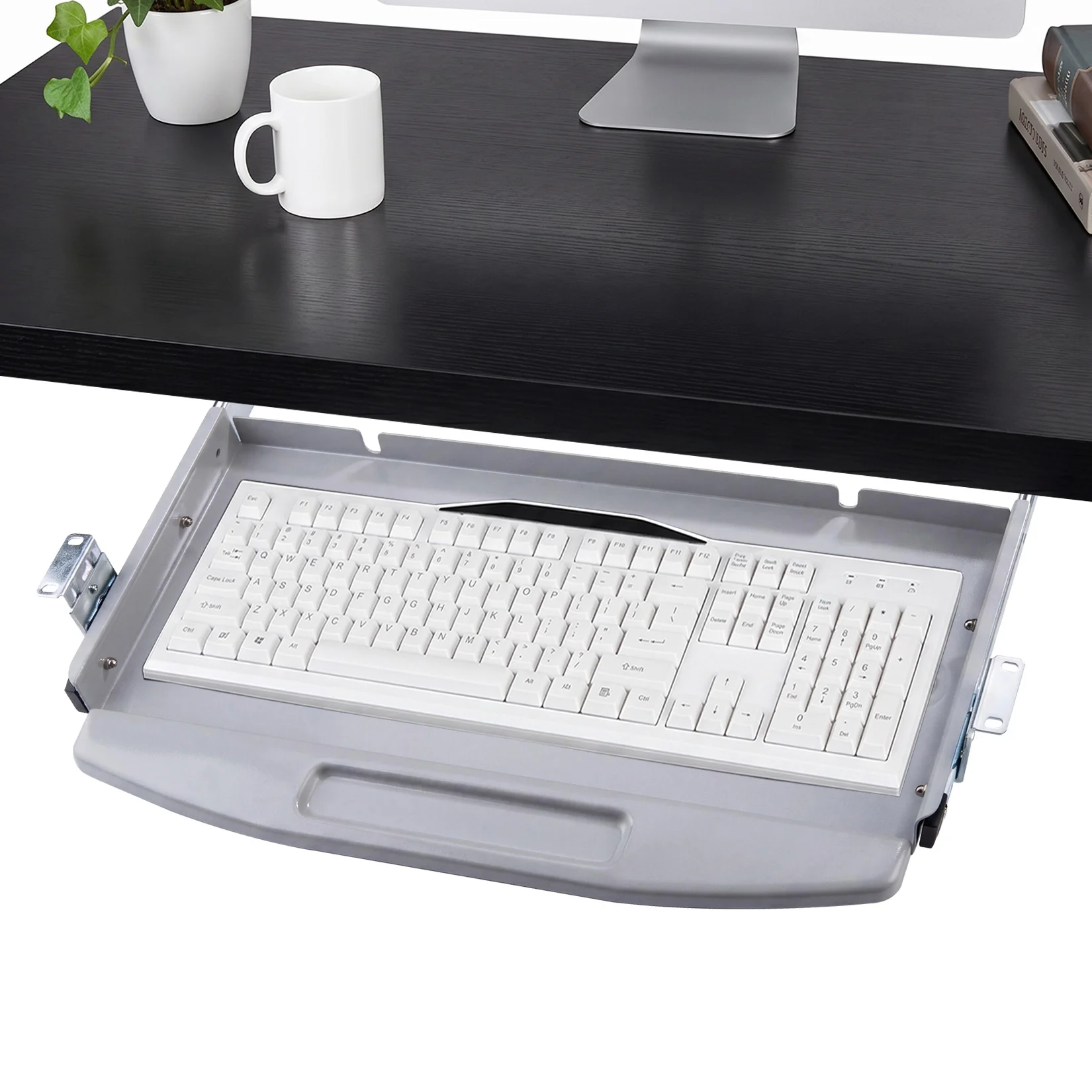
Aploda.com – An ultra-wide keyboard tray for standing desk converters provides an expansive, ergonomic workspace that prevents wrist strain and repetitive stress injuries by allowing a natural typing position while keeping your mouse and keyboard on the same level. It is the essential upgrade for professionals who require extra real estate for complex workflows, mechanical keyboards, or ergonomic trackpads.
The Necessity of Ultra-Wide Trays in Modern Workspaces
Standing desk converters are brilliant solutions for transitioning between sitting and standing, but they often suffer from a critical design flaw: limited surface area. Most built-in keyboard platforms are barely wide enough to accommodate a standard keyboard, leaving no room for a mouse. This forces users to place their mouse on the primary desk surface, creating an awkward height differential that causes shoulder fatigue and neck pain.
An ultra-wide keyboard tray solves this by creating a unified, flat platform that spans the width of your desk converter. By extending the surface, you ensure that your arms remain at an optimal 90-degree angle whether you are using a full-sized mechanical keyboard with a number pad or a separate ergonomic mouse. This physical alignment is the cornerstone of preventing long-term musculoskeletal issues.
Key Considerations Before You Upgrade
Before purchasing an ultra-wide tray, you must evaluate the weight capacity of your existing standing desk converter. Adding a heavy tray can shift the center of gravity, potentially making the converter unstable or exceeding the lifting capacity of the gas springs. Always check the mounting mechanism, as many ultra-wide trays require sturdy clamping systems that may not be compatible with the slim profiles of some desktop converters.
Furthermore, consider the material. While plastic trays are lightweight, they often flex under heavy typing pressure. A reinforced steel or high-density wood composite tray offers the rigidity needed for a stable typing experience. If you are a heavy typist, the “bounce” of a flimsy tray can be incredibly distracting and may lead to increased error rates.
Comparison of Keyboard Tray Mounting Types
Read also: Saddle Stool vs Traditional Ergonomic Office Chair for Posture
| Mounting Type | Pros | Cons | Best For |
|---|---|---|---|
| C-Clamp | No drilling required, easy installation | Takes up desk edge space | Rental spaces and glass desks |
| Bolt-Through | Extremely secure and stable | Requires permanent desk modification | Heavy-duty, permanent setups |
| Slide-Out Rail | Saves space when not in use | Complex installation, limited width | Small workstations |
Step-by-Step Installation Guide
Proper installation is vital for ergonomics and safety. Follow these steps to ensure your ultra-wide tray is secure and effective:
- Clear your current desk converter of all items and lower it to the lowest sitting position to gain better access to the underside.
- Measure the width of your desk converter’s frame to ensure the tray brackets will clear any vertical support legs or cable management clips.
- Position the tray at a height that allows your elbows to rest at a 90-degree angle; mark these points with a pencil or masking tape.
- Attach the mounting brackets to the tray first, then align the assembly with the edge of your desk converter.
- Tighten the clamps or bolts evenly across both sides to prevent the tray from tilting or sagging under weight.
- Test the stability by applying downward pressure on both ends of the tray before placing your keyboard and mouse on it.
Common Mistakes to Avoid
One of the most frequent errors users make is ignoring cable management. With an ultra-wide tray, your keyboard and mouse cords must span a larger distance. If these cables are too short or improperly routed, they will pull on your devices or get snagged when you raise or lower the desk converter. Use adhesive cable clips to secure wires to the underside of the tray, ensuring there is enough slack for the full range of motion.
Another common mistake is neglecting the “negative tilt.” An ergonomic keyboard tray should ideally tilt slightly away from you (negative tilt) to keep your wrists neutral. Many ultra-wide trays are fixed in a flat position, which is acceptable, but if you suffer from wrist pain, look for a model that allows for adjustable tilt angles. Finally, do not overload the tray with heavy items like reference books or excessive desk decor, as this can compromise the hinge mechanisms of your desk converter.
The Ergonomic Advantage of Width
The primary benefit of an ultra-wide configuration is the ability to maintain “neutral posture.” When your mouse is at the same level as your keyboard, you eliminate the need to reach up to the desk surface. This small change reduces the activation of the trapezius muscles in your shoulders. Over an eight-hour workday, this reduction in muscular activation can significantly lower the risk of tension headaches and chronic shoulder tightness.
Additionally, an ultra-wide tray provides space for a full-sized mouse pad. Many users find that a larger surface area allows for lower DPI settings on their mouse, which encourages larger, arm-based movements rather than small, wrist-based movements. This is a crucial strategy for preventing carpal tunnel syndrome, as it shifts the workload from the small, delicate muscles of the wrist to the larger, more resilient muscles of the forearm and shoulder.
Frequently Asked Questions
Q: Will an ultra-wide keyboard tray fit all standing desk converters?
A: No, compatibility depends on the width of the converter’s base and the thickness of the frame; always verify the mounting requirements against your specific model’s dimensions.
Q: Can I install a tray on a glass-top converter?
A: You must exercise extreme caution with glass; it is generally recommended to avoid clamping heavy loads onto glass surfaces unless the manufacturer explicitly states it is tempered and reinforced for such accessories.
Q: How do I prevent my keyboard from sliding off a wide tray?
A: Most ultra-wide trays feature a non-slip rubber mat or a raised lip; if yours does not, you can easily apply adhesive-backed grip tape to the surface to keep your peripherals securely in place.
Investing in an ultra-wide keyboard tray is not just about aesthetics or convenience; it is a long-term investment in your physical health. By creating a spacious, stable, and ergonomically sound environment, you enable yourself to work longer and more comfortably, regardless of whether you choose to stand or sit.
📷 Photo by walmart.com