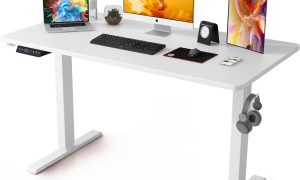



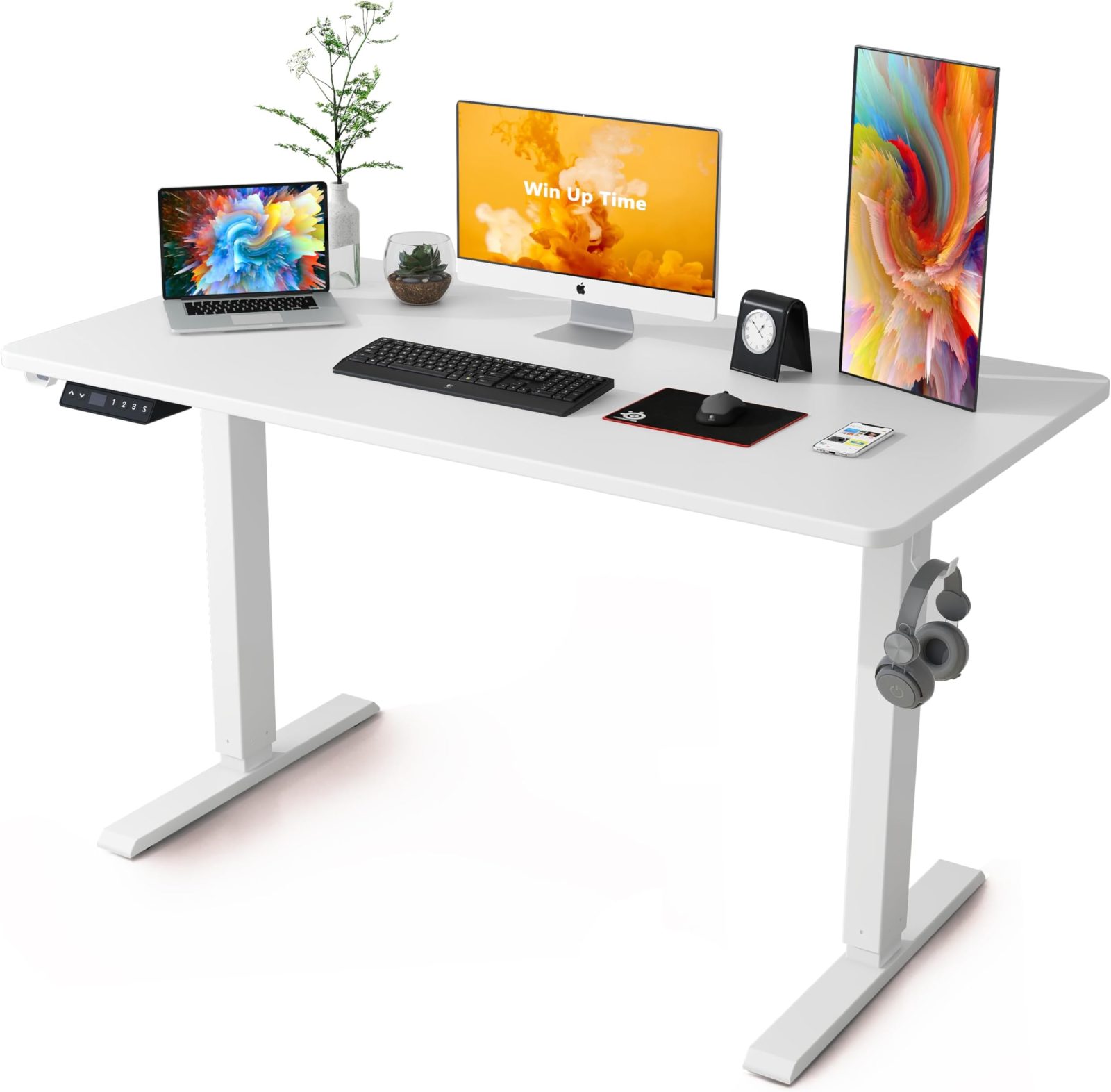
Aploda.com – A high weight capacity electric standing desk for heavy triple monitors requires a reinforced dual-motor frame capable of supporting at least 250 lbs to ensure stability, prevent motor burnout, and eliminate screen wobbling during height adjustments.
When you are managing a workstation with three large monitors, the weight distribution becomes significantly different from a standard setup. Triple-monitor arrays often involve heavy-duty arms that exert immense leverage on the desk surface. If your desk frame is not engineered for these specific demands, you risk mechanical failure, uneven height transitions, or a catastrophic collapse of your equipment.
The Critical Importance of Motor Strength
The primary differentiator between a budget standing desk and one built for heavy-duty professional use is the motor system. Standard desks often use single motors that struggle when burdened with more than 150 lbs. For triple monitors, you must prioritize dual-motor systems where each leg has its own dedicated power source. This configuration allows for synchronized lifting, which prevents the desk from tilting or jamming when the weight is concentrated on one side or the back of the desktop.
Furthermore, look for desks that utilize a three-stage column design rather than two-stage. Three-stage columns offer a wider range of height adjustment and generally feature thicker steel tubing, which provides superior lateral stability—a vital trait when your monitors are mounted on a heavy arm that protrudes from the rear edge of the desk.
Key Specifications to Evaluate
Before purchasing, you must calculate the total weight of your gear, including the monitors, the heavy-duty triple mount, your PC tower (if placed on the desk), and peripheral accessories. Use the following table as a checklist to ensure your chosen desk meets the safety threshold for professional-grade setups.
| Feature Category | Minimum Requirement for Triple Monitors | Why It Matters |
|---|---|---|
| Weight Capacity | 250 lbs – 300 lbs | Prevents motor strain and ensures longevity. |
| Frame Material | Industrial-grade heavy-duty steel | Reduces wobbling at standing height. |
| Motor Configuration | Dual-motor (one per leg) | Ensures smooth, level movement under load. |
| Desktop Material | Solid wood or high-density laminate | Prevents bowing/sagging under heavy arm mounts. |
| Crossbar Design | Adjustable telescopic crossbar | Adds structural rigidity to the frame. |
Risk Factors of Underestimating Load Capacity
Many users make the mistake of assuming that if a desk can lift their weight, it is safe. However, standing desk ratings are often based on static loads rather than dynamic, off-center loads. Triple monitor arms create a significant amount of torque on the back edge of the desk. Over time, a desk with a low weight capacity will suffer from motor gear stripping or frame deformation. The most common sign of an overloaded desk is a ‘hiccup’ or stutter during the initial phase of rising, which indicates that the motors are operating at their limit.
Additionally, vibration is a major concern. If the frame is not rigid enough, the slightest movement—like typing vigorously—will cause your monitors to shake. This creates eye strain and can eventually lead to fatigue or headaches. Investing in a frame with high-quality glides and a solid crossbar is not just about the weight capacity; it is about the physical stability of your display environment.
Step-by-Step Installation Guide for Stability
Once you have selected a desk that meets these requirements, the installation process is critical to maintaining that stability. Follow these steps to ensure your heavy-duty setup remains secure.
- Assemble the frame on a flat, level surface to ensure perfect alignment of the motor drive shafts.
- Install the desktop and verify that all pre-drilled holes align perfectly with the frame; do not force screws, as misaligned hardware creates structural weak points.
- Attach your monitor arm to the desk before mounting the screens to check the desk’s balance point.
- Use cable management trays to bundle all wires; loose cables can get snagged during height transitions, causing a sudden jerk that puts excessive stress on the motors.
- Perform a full-range calibration cycle as instructed by the manufacturer to sync the motors before placing your monitors on the desk.
Common Mistakes to Avoid
A common error is placing the triple-monitor mount directly in the center of a desk made of lightweight particle board. Even if the frame is strong, the desktop material itself might fail under the pressure of a clamp-style mount. If your desktop is not solid wood, use a steel reinforcement plate on the underside of the desk to distribute the pressure of the clamp over a larger surface area. This prevents the clamp from cracking or denting the surface over time.
Read also: Best Shoes for Walking on an Under Desk Treadmill All Day
Another mistake is neglecting the power requirements. High-capacity desks with dual motors draw more current. Ensure your desk is plugged into a surge-protected power strip that can handle the load, or preferably, directly into a wall outlet to avoid voltage drops that can cause the desk to reset or stop moving mid-adjustment.
Frequently Asked Questions
Q: Can I use a triple monitor arm on a standing desk with a glass top?
A: It is strongly discouraged. Glass tops lack the structural integrity to handle the concentrated pressure of a heavy-duty triple monitor clamp and are prone to shattering under the torque created by the arms.
Q: Does weight capacity include the weight of the desk itself?
A: No, weight capacity ratings refer to the load that can be added on top of the desk surface (payload). You do not need to subtract the weight of the frame or the desktop from the manufacturer’s specified capacity.
Q: How can I tell if my desk is struggling with the weight?
A: Listen for unusual grinding noises, observe if the desk rises unevenly (one side lagging behind the other), or notice if the desk stops automatically during a lift. These are clear indicators that the motors are overloaded or overheating.
In conclusion, building a triple-monitor workstation is an investment in your productivity. By prioritizing a high-capacity frame and paying attention to the material quality of both the frame and the desktop, you create a foundation that supports your work without the constant worry of mechanical failure or instability. Always opt for industrial-grade components when your hardware footprint is large, as the long-term reliability far outweighs the initial cost savings of lighter, less capable alternatives.
📷 Photo by amazon.com