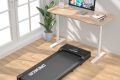




Aploda.com – Calculating calorie burn on an under desk treadmill involves multiplying your body weight by a specific MET (Metabolic Equivalent of Task) value for walking, typically ranging from 2.0 to 3.0, and adjusting for the duration of your activity.
Walking while working is an excellent way to combat the sedentary lifestyle associated with office jobs. However, many people overestimate how many calories they burn because they treat walking at a desk the same as a brisk outdoor walk. To calculate your actual burn, you must account for the intensity of your movement, which is usually lower when you are distracted by typing, reading, or attending virtual meetings.
Understanding the Science of Calorie Expenditure
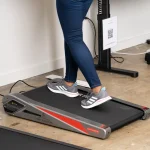
The most accurate way to estimate calorie expenditure is by using the MET system. One MET is defined as the energy you expend while sitting quietly. Walking at a slow pace of 1.5 to 2.0 miles per hour—which is the typical speed for under desk treadmills—usually corresponds to a MET value of approximately 2.5 to 3.0.
Your body weight plays a significant role in this calculation. A person weighing 200 pounds will naturally burn more calories moving their body mass than someone weighing 130 pounds, even at the same speed. This is why generalized calorie counters on fitness trackers can be misleading if they do not have your accurate weight, height, and age profile stored in their database.
The Formula for Calculating Burn
To calculate your calories burned, use the following formula: (MET value x 3.5 x weight in kg / 200) x duration in minutes. This provides a metabolic estimate that is far more reliable than the generic “calories burned” display on the treadmill console, which often inflates numbers to make the user feel more accomplished.
Keep in mind that when you are working, your movement is often non-linear. You might stop walking to focus on a complex email or slow down to type. These fluctuations mean that your actual calorie burn is likely 10% to 15% lower than if you were walking continuously without any cognitive tasks.
Comparison of Walking Intensities
The table below provides a rough estimate of calories burned per 60 minutes based on different body weights, assuming a steady pace of 2.0 mph (approx. 2.8 METs).
| Body Weight (lbs) | Estimated Calories Burned (60 min) |
|---|---|
| 130 lbs | 185 kcal |
| 155 lbs | 220 kcal |
| 180 lbs | 255 kcal |
| 205 lbs | 290 kcal |
Practical Steps to Track Your Progress
To get the most accurate data, you should combine manual calculations with wearable technology. Follow these steps to establish a consistent tracking routine:
📷 Photo by storage.googleapis.com
- Weigh yourself in the morning to ensure your data input remains accurate for your calculations.
- Set your under desk treadmill to a consistent speed, ideally between 1.5 and 2.0 mph, to maintain a steady heart rate without breaking a sweat that would distract from your work.
- Use a wearable fitness tracker or a smartphone app to log the time spent walking; ensure you pause the timer whenever you step off for a break or a meeting.
- At the end of your workday, multiply your total active walking minutes by the MET-based formula to get a realistic estimate of your caloric expenditure.
- Subtract 15% from your final total to account for “cognitive load” breaks where your walking pace likely dropped or became erratic due to typing or mouse use.
Common Mistakes to Avoid
One of the biggest errors users make is walking too fast. Under desk treadmills are designed for “NEAT” (Non-Exercise Activity Thermogenesis), not for cardio training. If you set the speed too high, your typing accuracy will drop, and you will likely find yourself gripping the desk for stability, which ruins your posture and reduces the effectiveness of the movement.
Another common mistake is neglecting the impact of incline. If your treadmill has an incline feature, do not use it while working. Walking at an incline changes your gait and puts unnecessary strain on your lower back and hips, especially when you are trying to remain stationary at a desk. Keep the treadmill flat to mimic a natural walking pattern.
Risks and Ergonomic Considerations
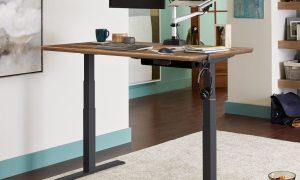
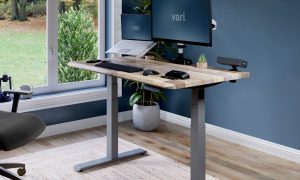
While burning calories is a goal, your primary focus should be on ergonomics. If your monitor is not at eye level, walking while looking down will lead to neck strain. Ensure your desk is height-adjustable so that your elbows stay at a 90-degree angle while you type. If you feel pain in your shins or feet, stop immediately; walking for long periods on a treadmill requires supportive footwear, even if you are just walking slowly.
Consistency is more important than intensity. Burning an extra 200 calories a day adds up to 1,000 calories over a work week. Over the course of a year, this small change can contribute to significant body composition improvements without the need for grueling gym sessions.
Frequently Asked Questions
Q: Does walking while working burn as many calories as walking at the gym?
A: No, because walking at a desk is usually done at a slower pace with frequent interruptions, resulting in a lower MET intensity compared to dedicated, uninterrupted exercise.
Q: Should I rely on the calorie counter on the treadmill screen?
A: Most built-in treadmill counters are inaccurate because they are based on pre-programmed averages. It is better to use the MET formula or a wearable device calibrated to your personal weight and heart rate.
Q: Is it safe to walk for 8 hours a day on an under desk treadmill?
A: It is generally not recommended for beginners. Start with 30 to 60-minute intervals and gradually increase your time to allow your muscles and joints to adapt to the new movement pattern.
📷 Photo by nytimes.com