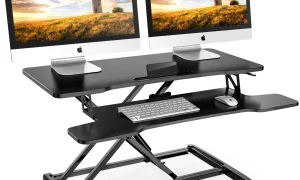


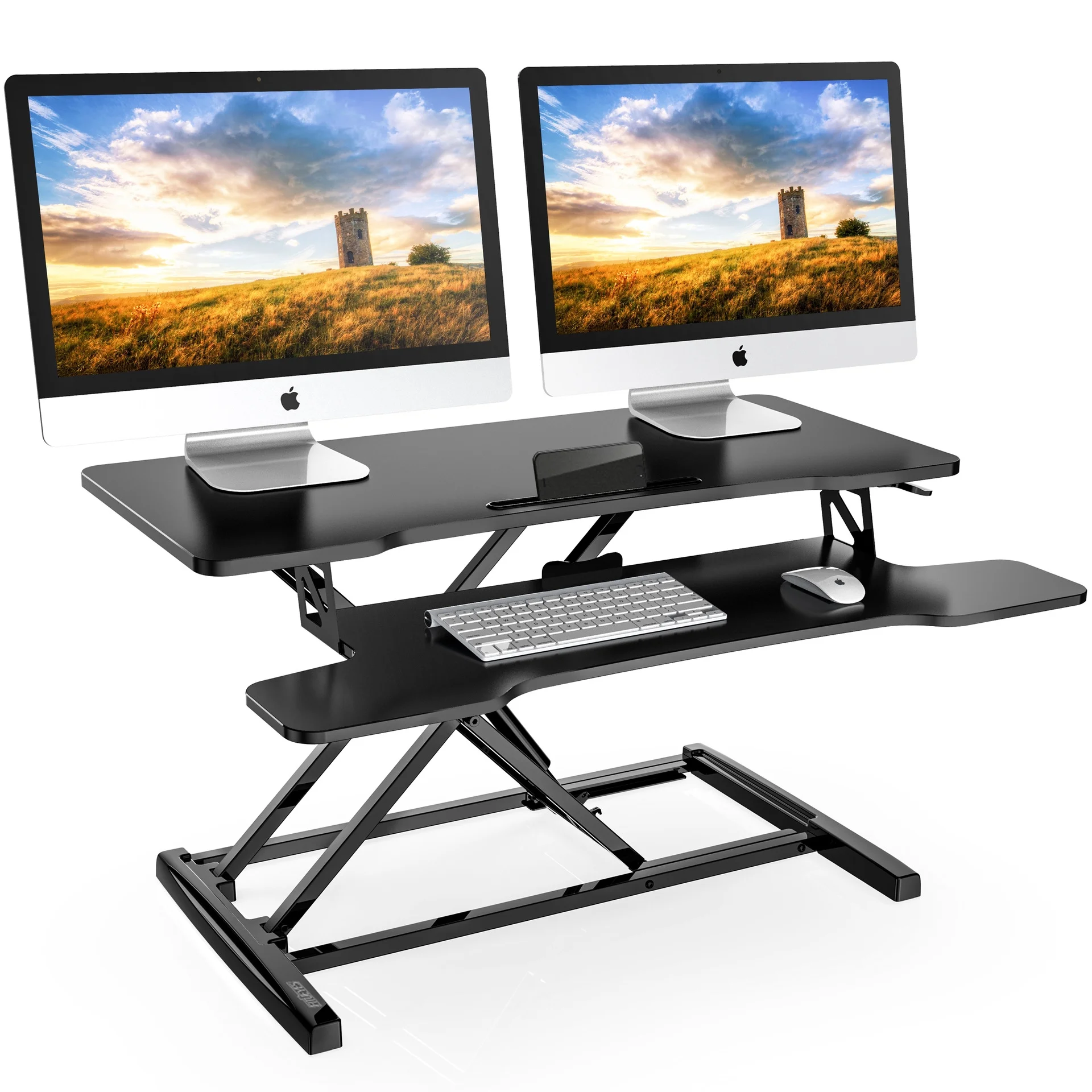
Aploda.com – A standing desk converter for dual monitor setups must prioritize a wide workspace depth of at least 30 inches and a total weight capacity that exceeds the combined weight of both monitors and their mounting hardware to ensure stability and safety.
Transitioning to a standing desk setup is a significant investment in ergonomic health, but dual monitor users face unique challenges. Unlike single-screen setups, dual monitors introduce complex variables regarding weight distribution, desk space footprint, and center-of-gravity balance. When choosing a converter, the most common mistake is focusing solely on the width of the monitors rather than the mounting mechanism and the structural integrity of the lifting platform.
Understanding Weight Capacity and Load Distribution
The weight limit of a standing desk converter is not just a number; it is a safety threshold. Many users assume that if their monitors weigh 20 pounds combined, a 25-pound capacity converter is sufficient. This is a dangerous oversight. You must account for the weight of the monitor arms, cables, and any desk accessories like keyboards or mice that add static load to the mechanism.
When using dual monitors, weight is often concentrated on the edges of the desk converter. If the converter is not rated for off-center loading, the platform may tilt or become unstable when raised to its maximum height. Always prioritize converters with a heavy-duty steel frame and a gas-spring system that supports at least 20 percent more than your total calculated load.
Sizing Requirements for Dual Displays
Width is the primary concern for dual monitor arrangements. A standard 24-inch monitor typically requires 21 to 24 inches of horizontal space. If you are running two 27-inch monitors, you need a converter surface that is at least 45 to 50 inches wide to prevent the screens from hanging over the edge, which creates an uneven weight distribution and a high risk of tipping.
Furthermore, consider the depth of the platform. A shallow platform forces your monitors to sit too close to your eyes, negating the ergonomic benefits of a standing desk. A depth of at least 20 inches is recommended to maintain the optimal viewing distance of an arm’s length.
Comparative Analysis: Converter Features
| Feature | Basic Model | Professional Dual-Monitor Model |
|---|---|---|
| Max Width | 30-35 inches | 45-55 inches |
| Weight Capacity | 15-20 lbs | 35-50 lbs |
| Mounting Support | None (Surface only) | Integrated VESA Mounts |
| Stability Rating | Moderate | High (Reinforced Base) |
Step-by-Step Setup Guide
Installing a dual-monitor standing desk converter requires precision to ensure the apparatus remains stable during the transition from sitting to standing. Follow these steps to ensure a secure setup:
- Clear your existing desk surface completely and measure the depth to ensure the converter footprint fits securely without overhang.
- Assemble the converter base on the floor first, ensuring all tension bolts are tightened to the manufacturer’s specifications.
- Place the converter on your desk and test the lifting mechanism without any equipment to ensure it moves smoothly through its full range of motion.
- Install your dual monitor arm or individual mounts, ensuring they are centered on the platform to maintain a balanced center of gravity.
- Mount your monitors and perform a shake test; if the platform wobbles significantly, adjust the tension of the gas spring until the unit feels rigid at all height levels.
- Organize your cables using zip ties or clips, ensuring there is enough slack to allow the monitors to rise without pulling on the ports.
Common Pitfalls and Risks
One of the most overlooked risks is the “tipping point” of your primary desk. When you place a heavy converter and two monitors on a desk that is not inherently stable, the entire structure can become top-heavy. If your desk is flimsy, the converter might cause it to sway when you type or lean on the platform.
Another mistake is neglecting the cable management slack. When you stand, the distance between your monitors and your computer tower increases. If your cables are too short, you risk damaging the ports on your monitors or PC when the converter reaches its maximum height. Always use cables that are at least 6 feet long to accommodate the vertical travel.
Ergonomic Considerations
The goal of a dual monitor setup is to maintain a neutral neck position. When using a converter, ensure that the top third of your monitors is at eye level. If the converter forces the monitors to sit too low, you will naturally hunch over, which defeats the purpose of standing. If the converter does not provide enough height, consider adding a monitor riser on top of the converter platform, provided the weight limit allows for it.
Finally, monitor the vibration levels. Dual monitor setups often amplify keyboard vibrations. If you notice your screens shaking while you type, it usually indicates that the converter’s locking mechanism is not fully engaged or the desk beneath the converter is absorbing energy poorly. Using a large desk mat under the converter can help dampen these vibrations and improve overall stability.
Frequently Asked Questions
Q: Can I mount dual monitors directly to the edge of the converter platform?
A: Yes, but only if the converter is specifically designed for clamp-style mounts. Many lightweight converters have hollow or plastic edges that will crack under the pressure of a C-clamp mount.
Q: Does the weight limit include the weight of the monitor arm?
A: Yes. You must subtract the weight of the monitor arms from the total weight capacity of the converter to determine how much capacity remains for the screens themselves.
Q: What should I do if my monitors are too heavy for the converter?
A: If you exceed the weight limit, the gas spring will fail to hold the position, or the mechanism could collapse. You should either upgrade to a heavy-duty converter or consider wall-mounting the monitors independently of the desk converter.
📷 Photo by storage.googleapis.com