


Aploda.com – Mouse shoulder is prevented by maintaining a neutral shoulder position, keeping your mouse at elbow height rather than desk height, and ensuring your upper arm hangs vertically beside your torso. You must prioritize equipment ergonomics that allow your forearm to remain parallel to the floor while your shoulders stay relaxed and unraised.
Understanding the Mechanics of Mouse Shoulder
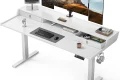
Mouse shoulder, a form of repetitive strain injury (RSI), occurs when the muscles surrounding the shoulder joint—specifically the trapezius and deltoids—remain in a state of chronic contraction. This often happens at tall electric standing desks when the desk surface is set too high. When your desk is elevated to accommodate your standing posture, the natural tendency is to rest your forearms on the surface while your elbows are unsupported or positioned too far away.
This misalignment forces your shoulders to elevate or “hunch” to reach the mouse. Over hours of work, this static load fatigues the muscles, leading to sharp pain, tightness, and radiating discomfort into the neck and upper back. Because standing desks offer infinite adjustability, many users mistakenly prioritize the desk height for their keyboard, inadvertently placing their mouse in an ergonomically damaging position.
The Role of Forearm Support
The most common mistake when using a standing desk is failing to account for the “winging” effect. If your mouse is placed too far from your body, your arm acts as a lever, putting immense pressure on the shoulder joint. To prevent this, your elbow must stay close to your ribcage. If you find your arm reaching forward or outward, you are placing your shoulder in a position of mechanical disadvantage.
Step-by-Step Guide to Ergonomic Alignment
- Stand at your desk with your shoulders relaxed and your arms hanging naturally by your sides.
- Bend your elbows to a 90-degree angle so your forearms are parallel to the floor.
- Adjust your standing desk height so that your elbows are exactly at the level of the mouse surface.
- Position your mouse pad directly adjacent to your keyboard so that your arm does not need to reach outward.
- Ensure your wrists remain neutral, avoiding extension or flexion, by using a mouse that fits your hand size.
- Take micro-breaks every 30 minutes to drop your arms and shake out any tension in the trapezius muscles.
Comparison of Ergonomic Setup Factors
| Factor | Correct Position | Common Error |
|---|---|---|
| Elbow Angle | 90 to 100 degrees | Acute angle (less than 90) |
| Shoulder State | Relaxed, dropped | Shrugged or elevated |
| Mouse Proximity | Close to torso | Extended reach |
| Wrist Posture | Neutral/Straight | Bent or resting on hard edge |
Practical Tips for Long-Term Prevention
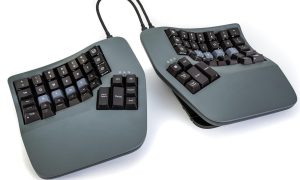
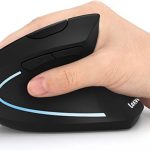
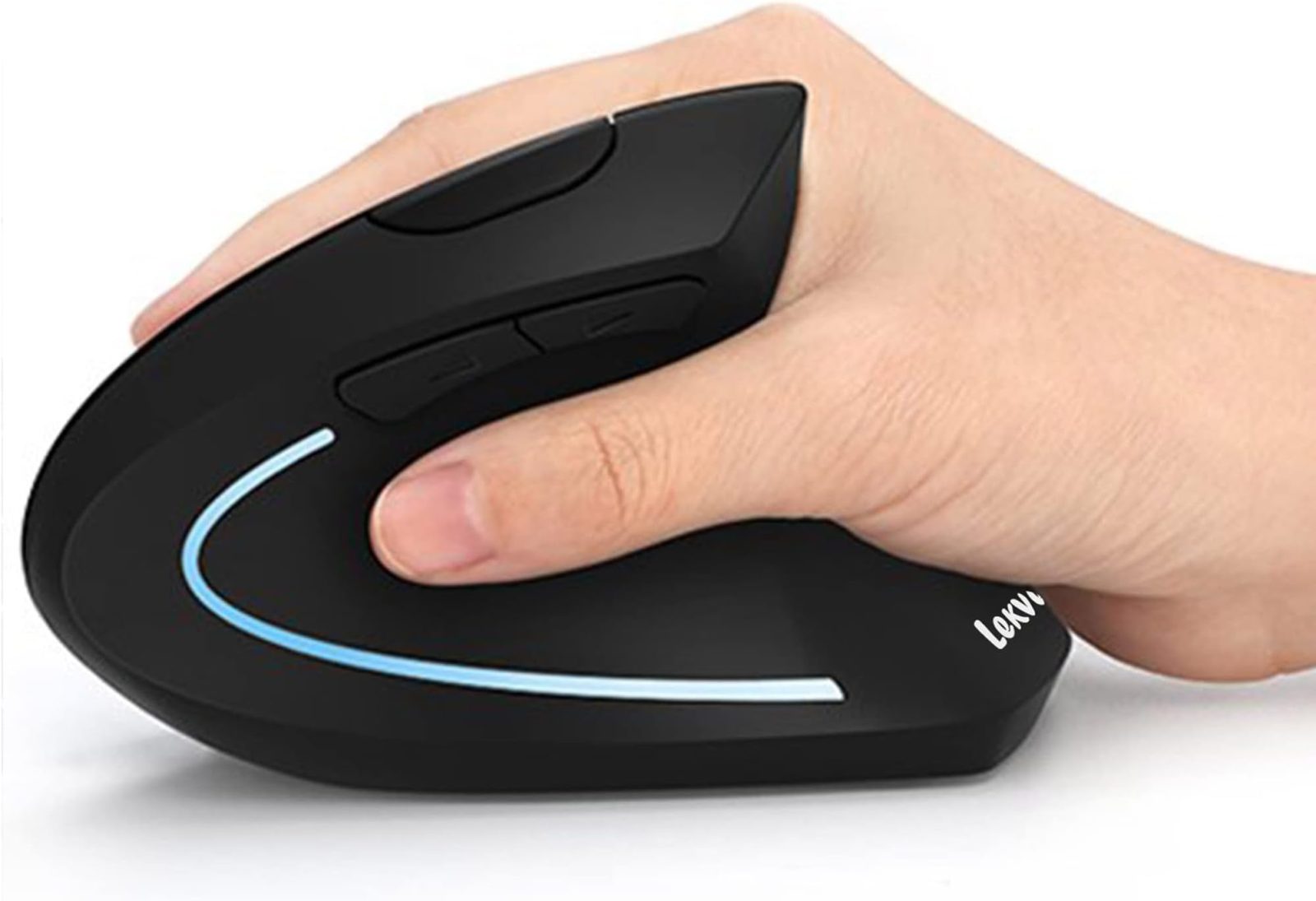
Beyond desk height, the type of input device you use plays a significant role. A standard mouse forces the forearm into a pronated (palm-down) position, which twists the radius and ulna bones. This internal rotation is a primary contributor to shoulder strain. Switching to a vertical mouse can keep your forearm in a “handshake” position, which naturally aligns the shoulder joint and reduces the need for the trapezius to stabilize the arm.
Another often overlooked factor is the depth of your standing desk. If your desk is very deep, you may be tempted to push your monitor back, which creates a “reaching” environment. Keep your equipment clustered in the “neutral reach zone”—the area within a natural arc of your forearm movement without needing to lean or stretch your torso.
Signs You Are Developing Mouse Shoulder
Early intervention is critical. Watch for a dull, aching sensation at the base of the neck or the top of the shoulder that intensifies toward the end of the workday. If you notice yourself subconsciously shrugging your shoulders while typing or using the mouse, your desk height is likely incorrect. Tingling sensations or numbness down the arm are late-stage indicators that nerves are being compressed by tight musculature and require immediate adjustment of your workstation setup.
Addressing Common Myths
Many users believe that simply standing is enough to negate the effects of a poor desk setup. However, standing with poor posture is often more taxing than sitting. Using a standing desk does not automatically grant you ergonomic safety; it requires constant monitoring of your body’s alignment. If you feel fatigue setting in, do not try to “push through it.” Your muscles are signaling that they can no longer maintain the static posture, and it is time to lower the desk or switch to a seated position to allow the shoulder girdle to recover.
FAQ
Q: Does a standing desk mat help with mouse shoulder?
A: While an anti-fatigue mat improves leg and lower back comfort, it does not directly prevent mouse shoulder. Focus instead on desk height and elbow positioning for upper body relief.
Q: Should I use an armrest while standing?
A: Yes, if your desk setup allows for it, using a support that keeps your forearm level with your mouse can take the weight off your shoulder muscles, significantly reducing the risk of strain.
Q: How can I tell if my mouse is too far away?
A: If you feel a slight tension in your upper back or shoulder blade when reaching for the mouse, it is too far. Your elbow should remain tucked near your side at all times.
📷 Photo by amazon.ca