



Aploda.com – Maintaining an under-desk treadmill requires a consistent routine of belt lubrication, debris removal, and motor cooling checks to prevent mechanical failure and extend the lifespan of your equipment. A proactive maintenance schedule ensures that your home office remains a safe, productive, and noise-free environment for daily movement.
The Importance of Routine Care
Remote workers often rely on under-desk treadmills for hours each day, leading to significant wear and tear that is easily overlooked. Unlike gym-grade equipment, compact under-desk units are often built with smaller motors and thinner belts, making them sensitive to dust accumulation and friction. Neglecting maintenance can lead to a burnt-out motor, an uneven belt that pulls to one side, or worse, a potential fire hazard caused by overheating components.
📷 Photo by verywellfit.com
Daily and Weekly Maintenance Checklist
To keep your equipment in peak condition, you should adopt a tiered maintenance approach. Daily tasks take less than a minute, while weekly or monthly deep cleans prevent long-term damage. Following this checklist will save you from costly repairs or the need for a full replacement within the first year of ownership.
| Frequency | Task | Purpose |
|---|---|---|
| Daily | Wipe down exterior | Prevents sweat and dust buildup |
| Weekly | Vacuum surrounding area | Prevents debris from entering the motor |
| Monthly | Check belt lubrication | Reduces friction and motor strain |
| Quarterly | Tighten belt tension | Ensures smooth and safe operation |
Step-by-Step Guide to Belt Lubrication
Lubrication is the single most important factor in under-desk treadmill longevity. If the belt feels dry or you hear a rubbing sound, it is time to apply silicone-based lubricant. Follow these steps to ensure you do not damage the deck or the motor.
- Ensure the treadmill is unplugged from the power outlet to prevent accidental activation.
- Lift the side of the walking belt slightly and reach your hand toward the center of the treadmill deck.
- Apply a thin line of silicone lubricant to the underside of the belt, focusing on the area where your feet land most frequently.
- Repeat the process on the opposite side of the belt to ensure even distribution.
- Plug the treadmill back in and walk at a slow speed (1.0 to 1.5 mph) for three to five minutes to allow the lubricant to spread evenly across the deck.
Common Mistakes to Avoid
Many users make the mistake of using WD-40 or other petroleum-based lubricants on their treadmills. These products can deteriorate the belt material and damage the deck surface. Always verify that you are using 100% silicone lubricant specifically designed for fitness equipment. Another common error is over-tightening the belt. If the belt is too tight, it puts unnecessary stress on the motor and the rollers, which can lead to premature failure. If you are unsure about the tension, the belt should have about two to three inches of “give” when lifted in the center.
Managing Debris and Motor Health
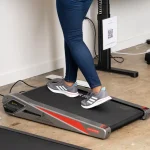
Since under-desk treadmills sit close to the floor, they act as vacuum cleaners for carpet fibers, pet hair, and dust. If these particulates enter the motor housing, they can cause overheating or electrical shorts. Use a vacuum with a hose attachment to clean the intake vents once a week. If you notice a burning smell, turn the machine off immediately and inspect the motor cover for trapped debris. Do not ignore unusual noises; a rattling or clicking sound often indicates that a roller bearing is failing or that the belt is misaligned.
When to Call a Professional
While basic maintenance is a DIY task, some issues require professional intervention. If you experience an error code on the digital display that does not clear after a hard reset, or if the treadmill stops abruptly while you are walking, there may be a fault in the control board. Never attempt to open the motor housing if you are not comfortable with electronics, as this can void your warranty and pose a risk of electric shock.
Frequently Asked Questions
Q: How often should I lubricate my under-desk treadmill?
A: Generally, you should lubricate the belt every three months or after 40 hours of use, whichever comes first. If you notice increased noise or friction, lubricate it sooner.
Q: Is it okay to use my treadmill on a carpeted floor?
A: It is generally not recommended to place a treadmill directly on carpet, as the fibers can block airflow to the motor and cause overheating. Use a treadmill mat or a piece of plywood to create a firm, stable surface that allows for proper ventilation.
Q: Why does my treadmill belt keep shifting to one side?
A: This is usually caused by uneven foot placement or the treadmill being on an unlevel surface. You can adjust the tracking by using the adjustment bolts at the rear of the unit, turning them in small increments until the belt centers itself.
Final Thoughts on Longevity
Investing in an under-desk treadmill is a commitment to your health, but it is also an investment in hardware. By integrating these simple maintenance checks into your work routine, you transform a chore into a habit that protects your equipment. A well-maintained treadmill will provide years of reliable service, keeping you active and energized throughout your remote workday.
📷 Photo by nytimes.com