
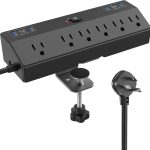



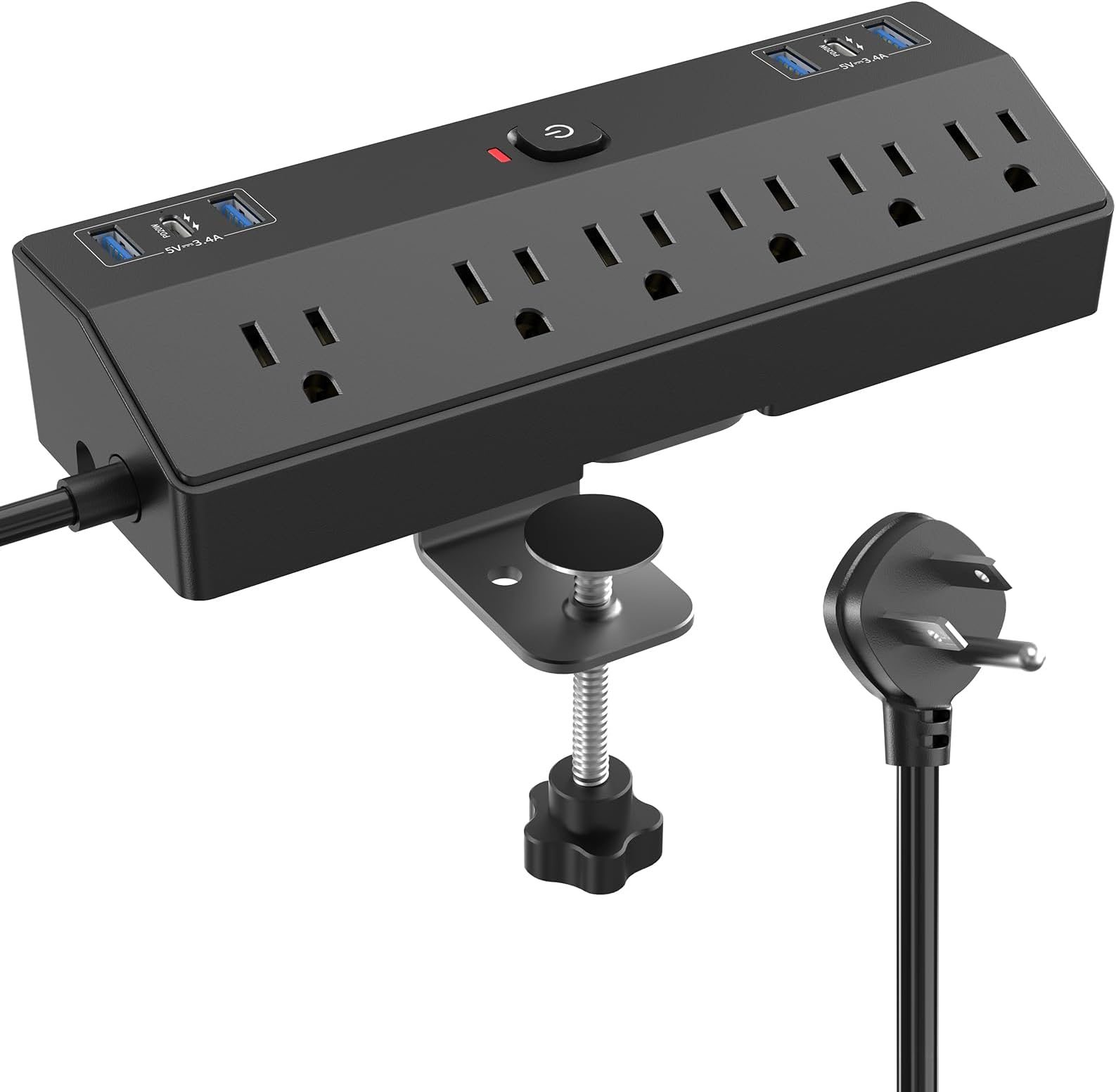
Aploda.com – The best power strip for an electric standing desk is one that features a slim, mountable profile, high joule surge protection (at least 2000 Joules), and enough spaced-out outlets to accommodate bulky power adapters without obstructing adjacent ports.
Why Surge Protection Matters for Standing Desks
Electric standing desks rely on sensitive motor control boxes and digital handsets that are highly susceptible to voltage spikes. A sudden surge—caused by lightning, grid instability, or even large appliances cycling on and off in your home—can fry the delicate circuit boards that control your desk’s height adjustment. Unlike standard extension cords, a surge protector acts as a sacrificial barrier, diverting excess electrical energy away from your equipment to prevent permanent damage.
Investing in a high-quality surge protector is not just about protecting the desk itself. It is about safeguarding the expensive peripherals you have plugged into it, such as monitors, laptops, and docking stations. A cheap, non-protected strip provides zero defense against power fluctuations, potentially turning your expensive workstation into a paperweight during a storm.
Key Features to Look For
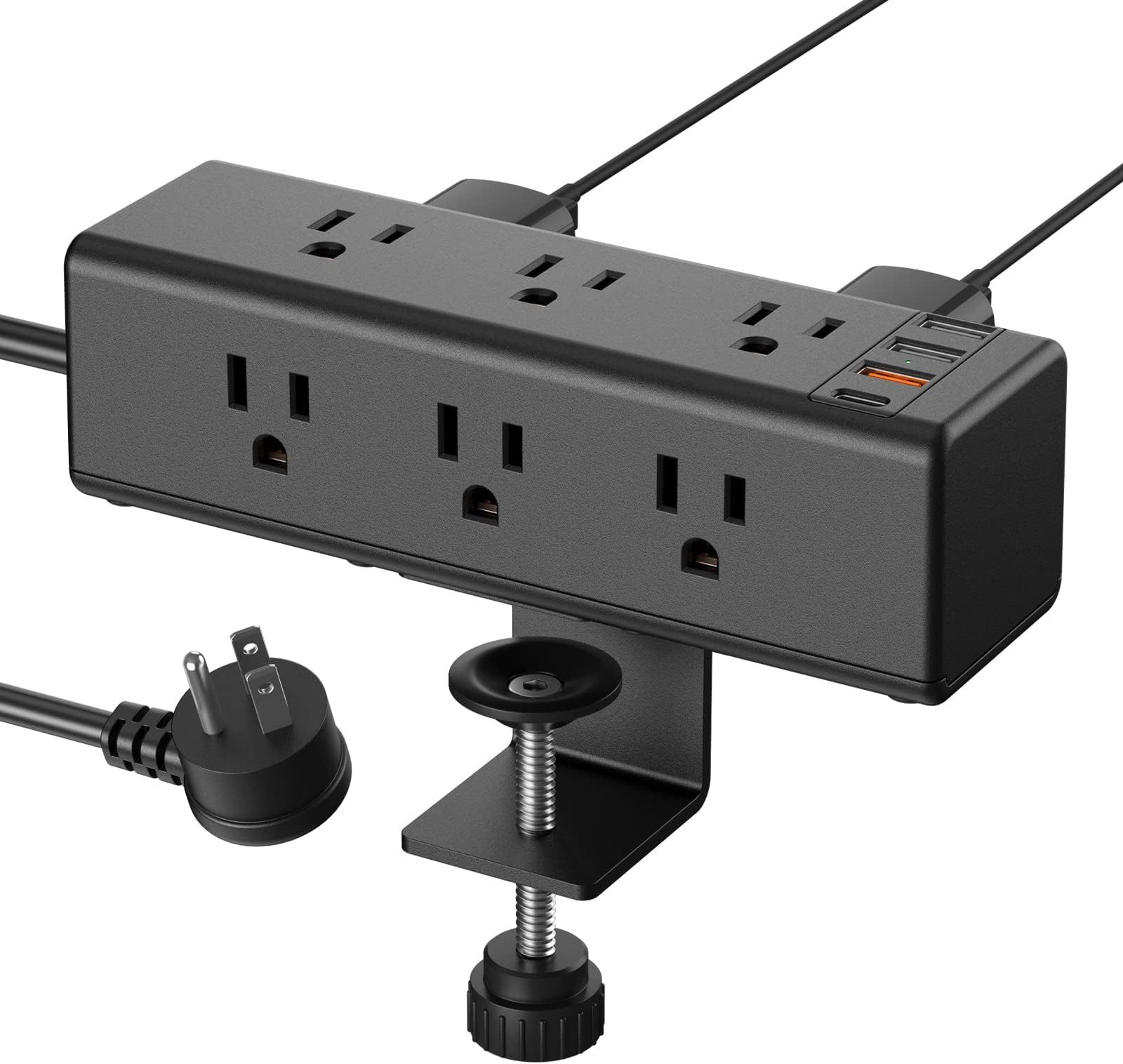
When shopping for a power strip specifically for a standing desk, you must prioritize mechanical design as much as electrical safety. Because your desk moves, standard power strips can easily fall off or create cable tension that leads to accidental unplugging. Look for strips with integrated mounting holes or those that come with heavy-duty adhesive backing.
📷 Photo by amazon.com
Another critical factor is the spacing of the outlets. Many standing desk accessories use bulky “wall wart” power bricks. If the outlets on your strip are too close together, you will lose access to half of them. Always opt for a model that features at least two or three widely spaced outlets designed specifically for oversized plugs.
| Feature | Minimum Requirement | Why It Matters |
|---|---|---|
| Surge Rating | 2000+ Joules | Higher ratings absorb more energy during a strike. |
| Clamping Voltage | 400V or lower | Lower is better for sensitive electronic components. |
| Mounting Options | Screw holes or brackets | Prevents the strip from dangling when the desk rises. |
| USB Ports | 2.4A per port | Provides fast charging for mobile devices without extra bricks. |
Common Mistakes to Avoid
The most dangerous mistake users make is “daisy-chaining,” which involves plugging one power strip into another. This creates a significant fire hazard due to the increased resistance and potential for overloading a single wall outlet. Always plug your surge protector directly into a wall receptacle. If you find yourself needing more outlets, purchase a single, larger surge protector rather than linking multiple smaller ones.
Another frequent error is ignoring the cord length. When a standing desk is at its maximum height, the distance from the floor to the desk surface increases significantly. If your power strip cord is too short, you risk pulling the plug out of the wall socket or straining the connection when the desk moves to its highest setting. Always measure the distance from your wall outlet to the underside of your desk at its maximum height and add two feet of slack.
How to Properly Install Your Power Strip
To ensure your setup is both safe and clean, follow this professional installation guide:
- Clear the underside of your desk to identify a mounting location that does not interfere with the control box or motor housing.
- Test the cable length by raising your desk to its maximum height to ensure the power strip cord remains loose and does not pull tight.
- Use heavy-duty mounting screws or industrial-strength double-sided mounting tape to secure the strip to the underside of the desktop.
- Bundle the excess power cables using cable sleeves or velcro ties to prevent them from snagging on chair arms or legs as the desk travels.
- Plug your desk’s control box, monitor, and computer into the surge protector, ensuring the highest power-draw devices are plugged in first.
Maintaining Your Setup
Surge protectors are not invincible. Over time, the internal components that absorb electrical spikes degrade. If your surge protector has a “protected” indicator light, check it periodically. If the light goes out, the internal protection is exhausted, and the unit is now functioning as a simple extension cord. Replace the unit immediately if the protection light fails or if the strip has been subjected to a major lightning strike nearby.
Additionally, keep an eye on the physical condition of the power cord. Because standing desks move, the cord is subject to constant flexing. If you notice any fraying, exposed wiring, or if the cord feels warm to the touch, discontinue use immediately. These are signs of internal wire fatigue, which can lead to electrical shorts or fire hazards.
FAQ
Q: Can I use a standard power strip instead of a surge protector?
A: No. A standard power strip offers no protection against voltage spikes. It only provides more outlets, leaving your expensive desk motor and computer equipment vulnerable to electrical damage.
Q: Should I mount the power strip on the floor or the desk?
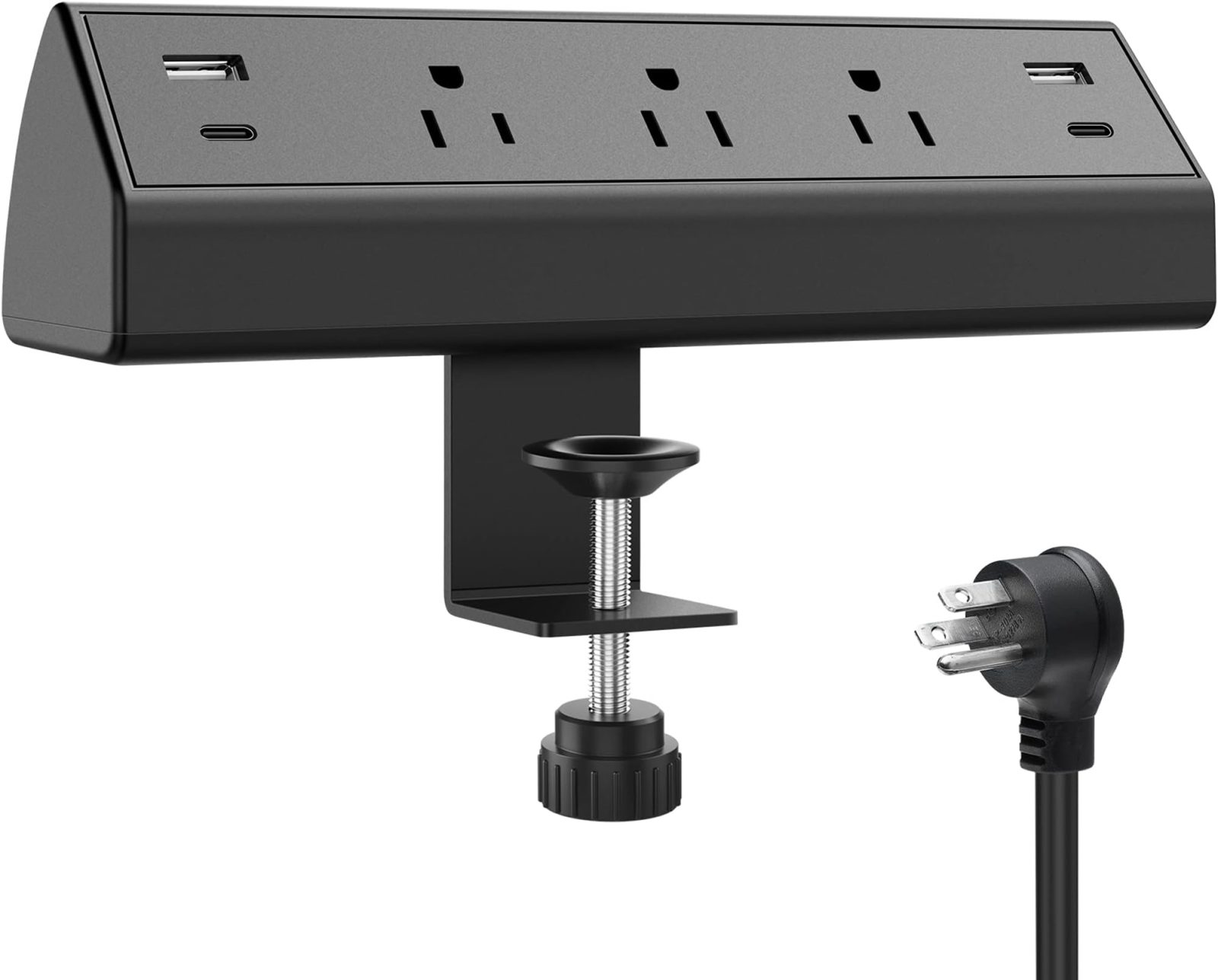
A: Always mount it to the underside of the desk. Placing it on the floor creates a trip hazard and risks pulling the plug out of the wall when the desk moves upward.
📷 Photo by amazon.com
Q: Do I need a specialized “smart” power strip?
A: While not strictly necessary, smart strips can cut power to peripherals when the main device (your computer) is off, which helps save energy and reduces the risk of long-term exposure to power fluctuations.
Final Considerations
The best setup is one that you can forget about. By taking the time to properly mount a high-joule surge protector and managing your cables effectively, you protect your investment and create a cleaner workspace. A well-organized desk not only looks professional but also prevents the common mechanical failures associated with improper cable management in motorized furniture.
Read also: How Much Electricity Does an Under Desk Treadmill Consume Daily?
📷 Photo by amazon.com