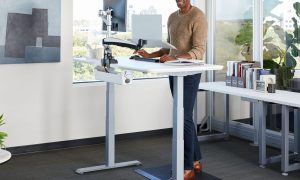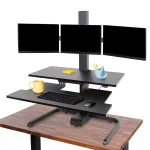
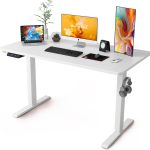


Aploda.com – A clamp-on standing desk converter attaches directly to the edge of your desk for maximum stability and space-saving, whereas a free-standing riser sits on top of your desk, offering easier installation and portability without the need for clamping.
Choosing the right ergonomic setup is crucial for productivity and long-term health. As remote work and hybrid models become the standard, the debate between clamp-on converters and free-standing risers has intensified. Both aim to bridge the gap between a standard sitting desk and a full-height standing desk, but they cater to very different workspace needs.
Understanding the Clamp-On Standing Desk Converter
The clamp-on converter is designed for users who value a clean, permanent workspace. By attaching to the back or side of your existing desk via a C-clamp or grommet mount, this type of converter acts more like an extension of your furniture. Because it is bolted down, it provides exceptional stability, preventing the wobbling often experienced with cheaper desk risers.
One of the primary advantages of the clamp-on style is the reclamation of desk space. Since the mounting mechanism is off to the side, you don’t lose the entire surface area of your desk to a heavy base. However, this design requires a desk with a sturdy, overhang-free edge. If your desk has a metal frame or a thick lip, installing a clamp-on unit can be difficult or even impossible.
The Case for Free-Standing Risers
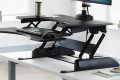
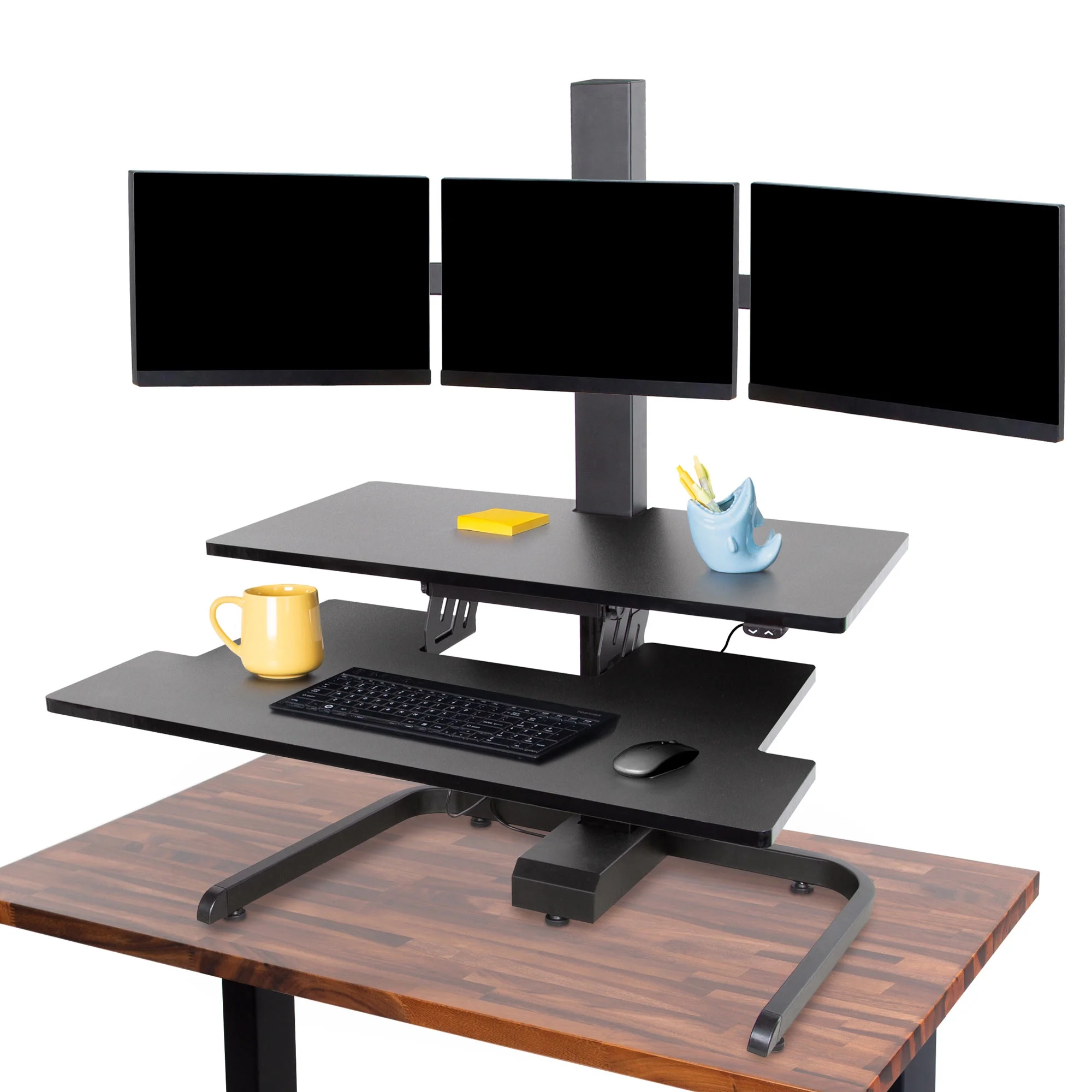
Free-standing risers are the most common solution for home offices. They are essentially a platform that you place on top of your current desk, usually featuring a gas-spring mechanism to adjust height. The biggest benefit here is simplicity; you can take it out of the box and be standing within minutes. There is no drilling, no clamping, and no damage to your desk surface.
These units are also highly portable. If you decide to move your office or rearrange your furniture, you can simply lift the riser and place it elsewhere. However, they do consume a significant footprint. If you have a small desk, a free-standing riser might take up so much room that you have nowhere left for your keyboard or mousepad.
Read also: Adjustable Seat Angle vs Fixed Base on Ergonomic Work Chairs
Key Comparison: Which One Fits Your Workflow?
| Feature | Clamp-On Converter | Free-Standing Riser |
|---|---|---|
| Stability | High (Fixed mount) | Moderate (Base weight dependent) |
| Installation | Complex (Requires tools) | Simple (Plug and play) |
| Desk Footprint | Minimal | Large |
| Portability | Low | High |
| Damage Risk | Potential for surface marks | None |
Practical Installation Guide for Clamp-On Units
If you have decided that the stability of a clamp-on unit is worth the effort, follow these steps to ensure a safe installation:
- Clear your entire desk surface to ensure you have enough room to maneuver the hardware.
- Check the underside of your desk for any obstructions, such as modesty panels, cables, or structural beams that might interfere with the clamp.
- Position the mounting bracket against the desk edge and hand-tighten the clamp until it is snug.
- Use a level to ensure the bracket is perfectly vertical before applying final pressure with the tightening tool.
- Attach the articulating arm and monitor mount, ensuring all bolts are tightened to the manufacturer’s torque specifications.
- Test the range of motion slowly to ensure the desk surface can support the weight without bowing or shifting.
Common Pitfalls and How to Avoid Them
A frequent mistake users make is ignoring the weight capacity of their desk. Many modern desks are made of particle board or hollow-core materials. A clamp-on converter focuses all the weight and leverage onto one or two small points. Over time, this can cause the desk material to crack or sag. If you have a particle board desk, consider using a steel backing plate to distribute the pressure more evenly.
Another common issue is cable management. With a free-standing riser, cables often get pinched or tangled when you move from sitting to standing. Always use cable ties or sleeves to create a “loop” of slack in your power and data cords. This prevents the cables from pulling on your monitors or computer ports when the desk is at its maximum height.
Ergonomic Considerations
Regardless of which model you choose, the goal is to maintain a neutral spine. Your elbows should be at a 90-degree angle while typing, and the top of your monitor should be at or slightly below eye level. Clamp-on units often provide more flexibility for monitor height, as they usually feature independent arms. Free-standing risers often have a fixed relationship between the keyboard tray and the monitor mount, which can be problematic if you are exceptionally tall or short.
FAQ
Q: Will a clamp-on converter damage my desk surface?
A: Most units include rubber padding on the clamp, but constant pressure can leave indentations on soft woods. Using a thin piece of felt or a coaster between the clamp and the wood can prevent cosmetic damage.
Q: Can I use a free-standing riser on a glass desk?
A: Yes, but you must be extremely careful. Ensure the riser has a flat, non-slip base and never exceed the weight limit of the glass. If the riser is heavy, the concentrated load could cause the tempered glass to shatter.
Q: Which option is better for a dual-monitor setup?
A: Clamp-on converters with articulating arms are superior for dual monitors, as they allow you to adjust each screen individually for the perfect viewing angle. Most free-standing risers are designed for a single large monitor or a laptop and one screen.
Ultimately, your choice depends on your long-term plans for your workspace. If you are in a permanent office and prioritize stability and a clean desk, go with the clamp-on option. If you are renting, frequently change your layout, or want a low-commitment solution, the free-standing riser remains the industry standard for a reason.
📷 Photo by si350.org