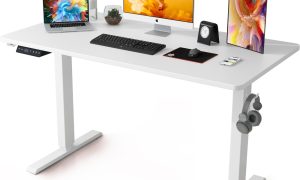


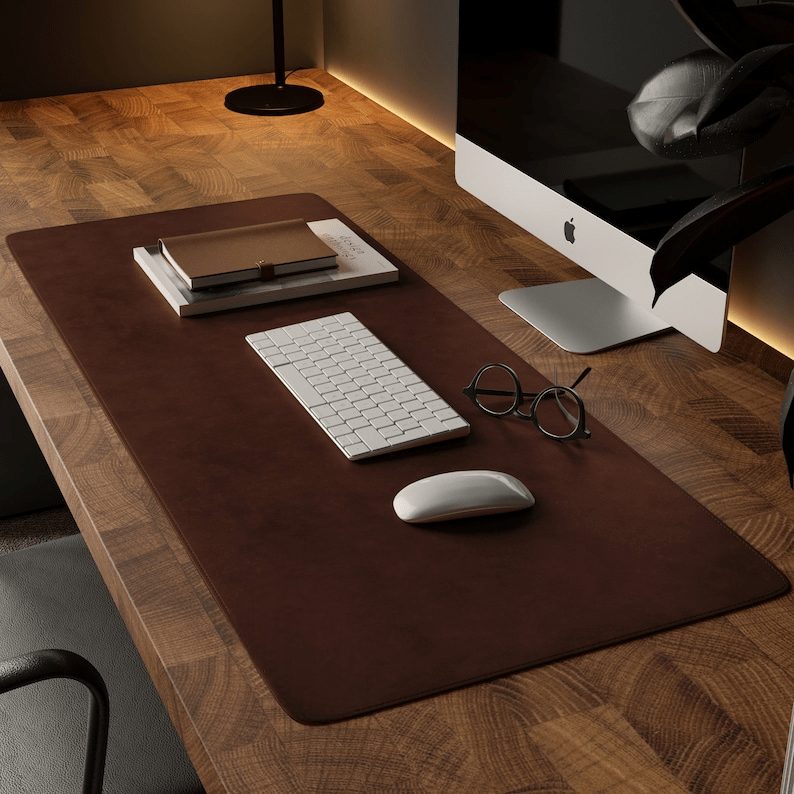
Aploda.com – A non-slip desk pad with beveled edges provides a stable, ergonomic workspace for electric standing desks by preventing equipment sliding during height transitions and reducing wrist strain through a smooth, tapered profile.
Electric standing desks have revolutionized the modern office by promoting movement, but they introduce unique challenges for desk accessories. As you raise or lower your desk, vibrations and slight tilts can cause mice, keyboards, and monitors to shift. A specialized non-slip desk pad acts as a high-friction anchor, ensuring your peripherals remain stationary while providing a consistent surface for optical sensors.
The Importance of Beveled Edges
Standard desk mats often feature sharp, vertical edges that can dig into your forearms during extended typing sessions. This causes discomfort, restricts blood flow, and can lead to long-term repetitive strain injuries. Beveled edges solve this by creating a gradual slope from the desk surface to the pad, allowing your wrists to rest naturally without hitting a hard ridge. This design detail is particularly critical for standing desks, where the angle of your arms relative to the desk surface changes depending on your height setting.
Material Science and Grip Technology
The effectiveness of a desk pad is largely determined by its backing material. High-quality non-slip pads typically use natural rubber or textured silicone bases. These materials possess high coefficients of friction, gripping even the smoothest laminate or bamboo desk tops. Unlike adhesive-backed pads, which can leave residue or damage sensitive finishes, these high-friction bases rely on weight and surface tension to stay in place.
Comparison of Desk Pad Materials
| Material Type | Grip Stability | Durability | Best For |
|---|---|---|---|
| Natural Rubber | High | High | Heavy gaming and typing |
| Silicone | Excellent | Medium | Sleek, minimalist setups |
| Felt (with rubber base) | Moderate | Low to Medium | Aesthetic and warmth |
| Polyurethane (PU) | Moderate | High | Water resistance |
Common Mistakes When Choosing a Desk Pad
Read also: Active Sitting Stool vs Standard Task Chair for Core Engagement
Many users select a desk pad based solely on aesthetics, ignoring the weight and dimensions of their setup. A common mistake is buying a pad that is too small, leading to the mouse slipping off the edge during wide movements. Furthermore, choosing a pad that is too thick can create an uneven surface for writing, while a pad that is too thin may not have enough internal weight to remain flat on the desk surface after being unrolled.
Another frequent oversight is neglecting the surface texture. If you use a high-DPI mouse, a surface that is too smooth may cause tracking errors, while a surface that is too coarse will cause unnecessary wear on your mouse feet. Always look for a balance between “speed” and “control” surfaces that complement your specific workflow.
How to Properly Install and Maintain Your Desk Pad
Installing your desk pad correctly is the first step in ensuring it stays put during the rigorous movement of an electric standing desk. Follow these steps for the best results:
- Clear your entire desk surface of dust, debris, and oils using a mild surface cleaner to ensure maximum contact between the desk and the pad backing.
- Unroll the desk pad and lay it flat on the desk. If the pad has a memory from being rolled in shipping, place heavy books on the corners for 24 hours.
- Position the pad so that your keyboard and mouse have ample room, ensuring the beveled edges are facing toward you to support your wrists.
- Test the stability by running your desk through its full range of motion. If you notice any sliding, check the underside of the pad for accumulated dust, which can act as a lubricant and reduce grip.
- Clean the pad monthly using a lint roller for fabric surfaces or a damp cloth for synthetic surfaces to maintain its non-slip properties.
Risk Factors of Neglecting Ergonomic Accessories
Without a proper desk pad, the hard edges of your desk work against your body. Over time, this pressure causes “desk-edge syndrome,” where the median nerve in the wrist becomes compressed. This can lead to tingling, numbness, or chronic pain. When using a standing desk, the risk is compounded by the fact that your posture is often less supported than when sitting in an ergonomic chair. A beveled edge desk pad acts as a passive ergonomic intervention that forces a more neutral wrist position, effectively mitigating these risks without requiring you to change your habits.
Frequently Asked Questions
Q: Can I use a desk pad on a glass-top standing desk?
A: Yes, but you must choose a pad with a high-quality rubber or silicone base. Glass is extremely smooth, so a low-quality foam backing will slide easily; natural rubber is the most effective at maintaining a grip on glass surfaces.
Q: How do I clean a beveled desk pad without damaging the edges?
A: Avoid harsh chemicals like bleach or alcohol, as these can degrade the material and cause the beveled edges to curl or crack. Use a mixture of warm water and a tiny drop of dish soap, wiping gently with a soft microfiber cloth.
Q: Will the desk pad interfere with my monitor arm mount?
A: Most desk pads are designed to sit in front of the monitor arm base. If you have a large desk pad, you may need to cut a small hole or notch to accommodate the mounting clamp, though many users prefer to place the pad just in front of the mounting bracket to avoid damaging the pad material.
Investing in a high-quality, non-slip desk pad with beveled edges is one of the most cost-effective ways to upgrade your standing desk experience. It bridges the gap between hardware and human comfort, ensuring that your transition from sitting to standing is seamless, stable, and pain-free.
📷 Photo by craftshades.com