

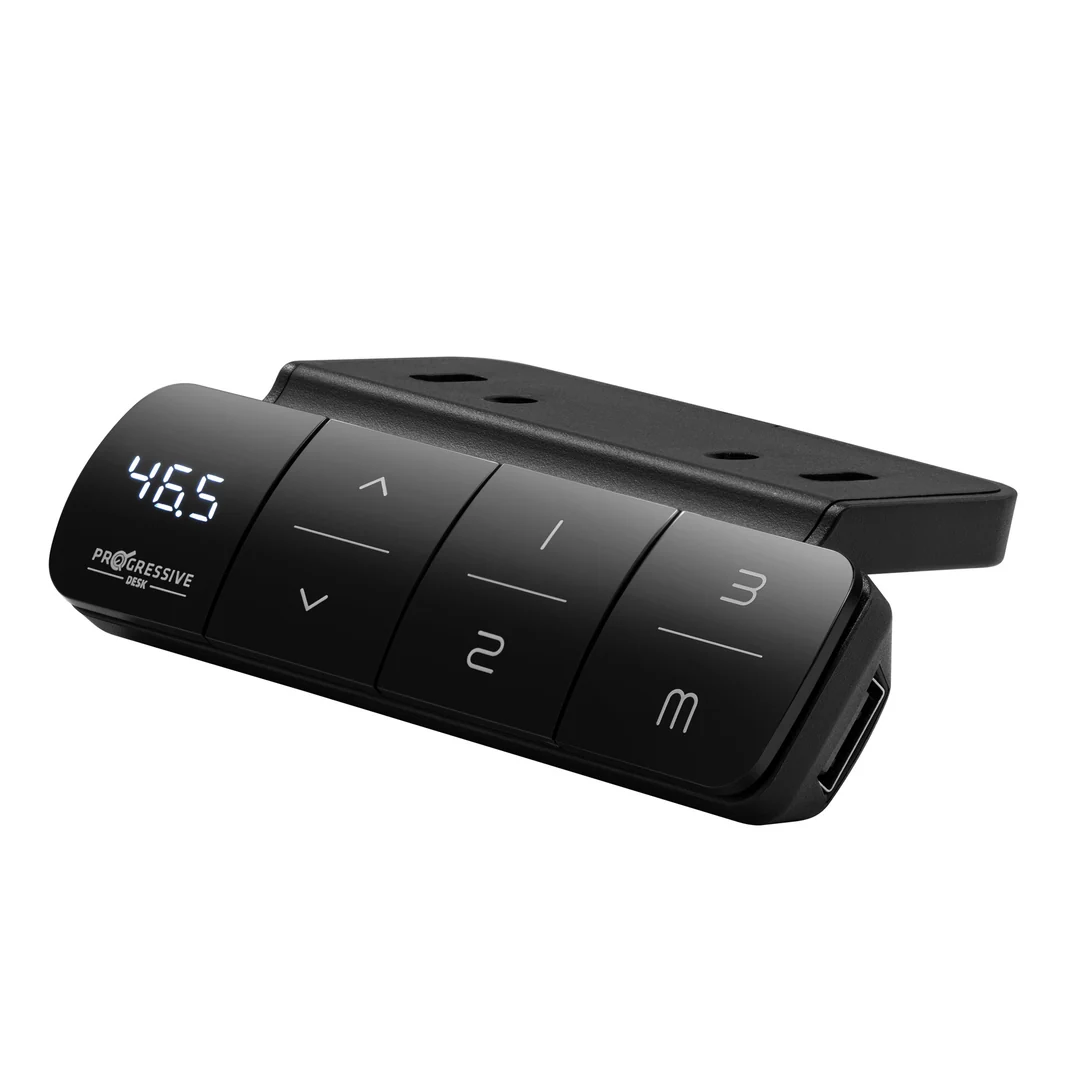
Aploda.com – Resetting an electric standing desk controller box is typically achieved by unplugging the power cable for 30 seconds or holding the “Down” button for 10 to 20 seconds until the desk reaches its lowest position and beeps. This simple procedure clears internal memory errors, recalibrates height sensors, and resolves most communication glitches between the handset and the motor.
Electric standing desks have become a staple in modern home offices, but like any electronic device, they are prone to occasional software hiccups. Most issues, such as the desk refusing to move, displaying an error code, or becoming stuck at a certain height, stem from a desynchronization of the lifting columns. A reset is the “factory restart” equivalent for your desk, forcing the system to re-identify its starting position and synchronize the motors.
When to Perform a Reset
You should consider a reset whenever the desk exhibits abnormal behavior. Common signs that your desk needs a reboot include the handset displaying a persistent error code (such as E01, E02, or E07), one leg moving faster than the other, or the desk failing to respond to button presses entirely. It is also a recommended step after moving the desk to a new location or if you have recently unplugged the power source for an extended period.
Standard Reset Procedures
While manufacturers often have proprietary systems, most electric desks follow a universal logic. Before attempting a manual reset, ensure that the desk is not overloaded with weight, as the safety sensors may trigger a lock to prevent motor damage. Clear any obstacles from underneath the desk, as these can trigger the anti-collision mechanism and confuse the calibration process.
Follow these steps to perform a hard reset on most standard standing desk models:
- Clear all items from the desk surface to reduce motor strain and ensure an unobstructed range of motion.
- Unplug the power cord from the wall outlet and wait for at least 30 to 60 seconds to allow the internal capacitors in the control box to discharge fully.
- Plug the power cord back into the wall outlet.
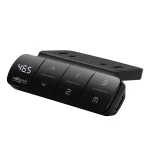
- Press and hold the “Down” button on your handset. Keep holding it even if the desk moves down slightly.
- Continue to hold the button until the desk reaches its lowest physical limit, then gently bounces back up by a few millimeters or emits a confirmation beep.
- Release the button. Your desk is now calibrated and ready for normal use.
Troubleshooting Common Error Codes
If the reset process does not resolve your issue, the control box may be signaling a specific mechanical or electrical fault. While error codes vary by brand, the following table summarizes common issues and their meanings.
| Error Code | Likely Cause | Recommended Action |
|---|---|---|
| E01 / E02 | Overload or weight limit exceeded | Remove items from the desk and perform a reset. |
| E03 / E04 | Motor connection fault | Check all cables connecting the motors to the control box. |
| E07 / E08 | Uneven leg height | Perform the full downward reset procedure. |
| HOT | Duty cycle exceeded | Let the desk rest for 20 minutes before using again. |
Why the Reset Might Fail
If you have followed the steps above and the desk remains unresponsive, check for physical connection issues. A common mistake is assuming the control box is faulty when, in reality, a loose cable is the culprit. Inspect the wires leading from the handset to the control box and from the motors to the control box. Ensure each plug is clicked firmly into its respective port. Sometimes, vibrations from daily use can cause these connections to wiggle loose.
Another frequent cause of failure is the “Duty Cycle.” Most standing desk motors are not designed for continuous movement. If you have been raising and lowering the desk repeatedly for several minutes, the control box will trigger a thermal protection mode. In this case, no amount of resetting will work until the motor has cooled down. Simply walk away from the desk for 30 minutes and try again.
Safety and Maintenance Tips
To prevent future issues, always ensure that your power cables have enough slack when the desk is at its maximum height. Tight cables can pull on the control box ports, leading to intermittent connection failures. Additionally, verify that your desk is level; if the floor is significantly uneven, the internal gyroscopes in the control box may struggle to calibrate correctly, leading to frequent “unbalanced” error codes.
Read also: Walking Pad vs Under Desk Treadmill: Key Differences and Durability
Avoid using power strips that are overloaded, as electric desks require a stable voltage to function correctly. If the desk is plugged into a strip with multiple high-draw appliances, the voltage drop might prevent the controller from initializing properly during a reset.
Frequently Asked Questions
Q: Will a reset delete my saved height presets?
A: In most cases, yes. A full hard reset clears the memory of the controller, meaning you will likely need to re-program your preferred memory heights after the calibration is complete.
Q: Can I reset the desk if it is stuck at the maximum height?
A: Yes, the reset procedure works regardless of the desk’s starting position. Simply hold the “Down” button, and the system will override its current state to begin the downward calibration sequence.
Q: What should I do if the desk still doesn’t move after a reset?
A: If the handset remains blank or displays a persistent error that does not clear, the control box or the handset itself may have experienced a hardware failure. Contact the manufacturer’s support team for a potential warranty replacement of the control unit.
By following these steps, you can save yourself the frustration of troubleshooting a desk that refuses to function. Most standing desk problems are software-related and easily fixed with a simple recalibration. Always prioritize safety by checking for obstructions and ensuring all cables are secure before assuming the hardware is defective.
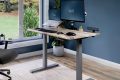
📷 Photo by progressivedesk.com