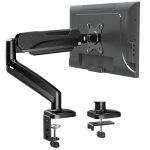



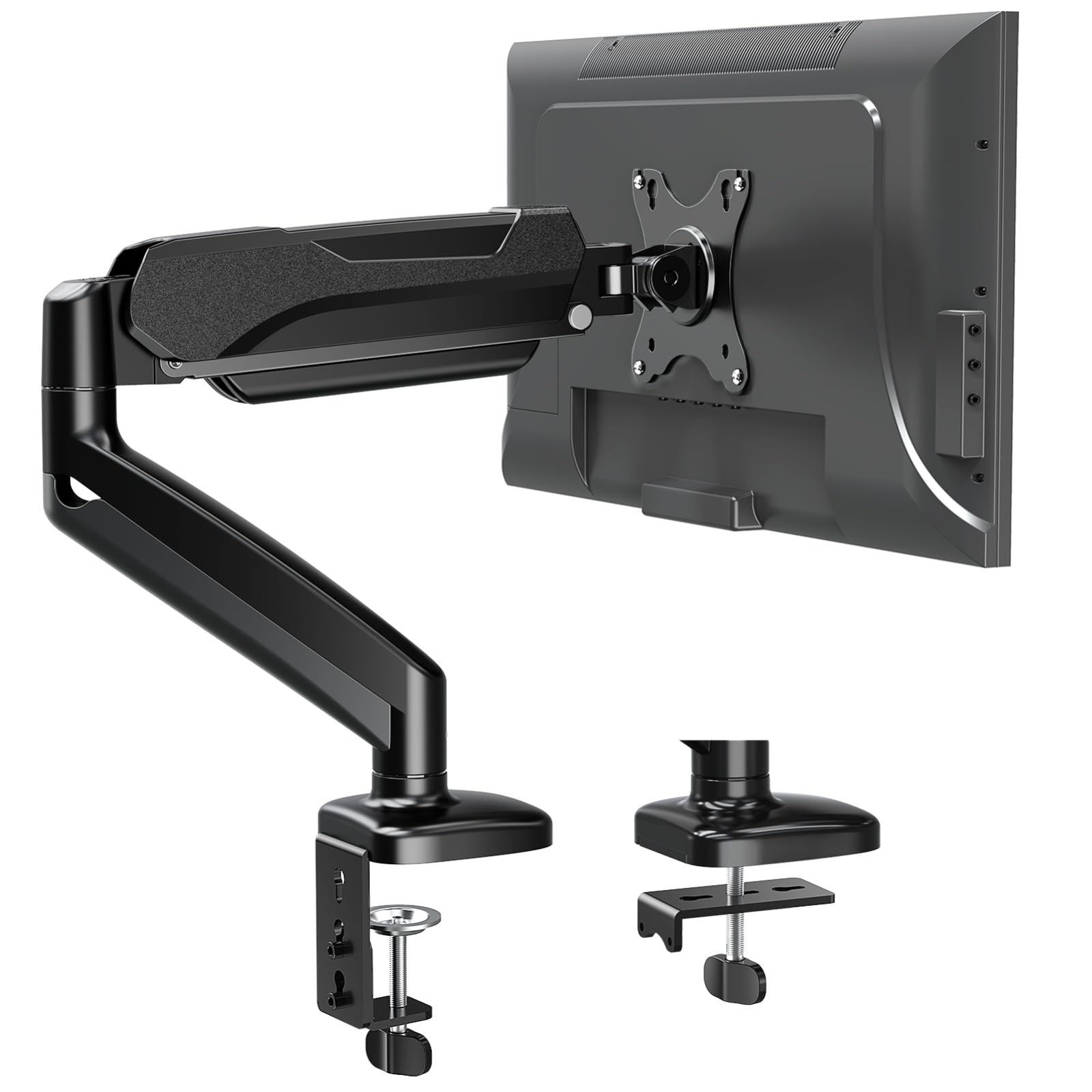
Aploda.com – Heavy-duty monitor arms for electric standing desks are specialized support systems engineered with reinforced gas springs and high-torque tension mechanisms to stabilize ultrawide displays that exceed standard weight and size capacities. These mounts prevent screen sagging and desk instability, ensuring ergonomic alignment even when the standing desk is in motion.
The Challenge of Ultrawide Monitors on Standing Desks
Ultrawide monitors, typically ranging from 34 to 49 inches, present unique challenges for standard monitor mounts. Because these screens have a wider center of gravity and increased weight, standard mounts often fail to hold the screen at the desired height. When you combine this with an electric standing desk, the mechanical vibration caused by the desk’s motor can cause standard arms to wobble or droop, leading to poor posture and potential eye strain.
A heavy-duty monitor arm is designed with a higher load-bearing capacity, often supporting weights up to 40 pounds or more. These arms utilize high-tension gas springs that can be adjusted specifically to match the weight of your ultrawide monitor. By effectively counterbalancing the display, the arm remains locked in position regardless of whether your desk is at sitting or standing height.
Key Features to Look For
When shopping for a mount, you must look beyond the standard VESA compatibility. Many ultrawide monitors have curved profiles, which shifts the weight distribution differently than a flat panel. Ensure the mount offers a wide range of tilt and swivel adjustments to accommodate the curvature of your screen.
Table: Comparison of Standard vs. Heavy-Duty Monitor Arms
| Feature | Standard Monitor Arm | Heavy-Duty Monitor Arm |
|---|---|---|
| Max Weight Capacity | Up to 15 lbs | 20 lbs to 45 lbs |
| Gas Spring Tension | Light-duty for small screens | Reinforced for ultrawide stability |
| Vibration Resistance | Low (prone to shaking) | High (dampened design) |
| Ideal Screen Size | 17 to 27 inches | 32 to 49+ inches |
Installation Steps for Optimal Stability
Proper installation is crucial for standing desks because the motion of the desk can exacerbate any structural weaknesses. Follow these steps to ensure a secure setup:
- Verify your desk’s edge thickness to ensure the C-clamp or grommet mount can attach securely without damaging the desktop material.
- Attach the base mount to the desk and tighten the clamp firmly; if using a grommet mount, ensure the bolt passes through the desk hole with a support plate underneath to distribute pressure.
- Attach the VESA bracket to the back of your ultrawide monitor using the appropriate screws, ensuring the plate is centered correctly to prevent tilting.
- Slide the arm onto the base and attach the monitor, keeping the arm in a neutral, mid-tension position before finalizing the height.
- Adjust the tension screw on the arm while the monitor is attached, turning it clockwise or counter-clockwise until the monitor stays in place without drifting upward or downward.
Common Mistakes and How to Avoid Them
One of the most frequent errors is failing to calibrate the gas spring tension. Users often attach the monitor and assume it will work out of the box. If the arm drifts up, there is too much tension; if it sinks, there is too little. Always adjust the tension while the monitor is mounted to get an accurate reading of the weight distribution.
Another mistake is ignoring the cable management system. Ultrawide monitors often have thick power and video cables. If these cables are left hanging or are too short, they will pull on the monitor arm as the desk moves up and down. This tension can force the monitor out of its calibrated position. Always leave enough slack in your cables to account for the full range of your standing desk’s height travel.
The Ergonomic Benefit of Heavy-Duty Mounts
The primary goal of a heavy-duty arm is to maintain the “eyes-to-screen” ratio. When using an ultrawide monitor, you are essentially replacing a dual-monitor setup with a single curved display. If the monitor is not perfectly aligned with your eye level, you will inevitably end up craning your neck to see the edges of the screen. A sturdy, heavy-duty arm allows for micro-adjustments, ensuring that the center of the ultrawide screen is exactly at eye level, which is critical for long-term neck health.
Furthermore, these arms free up significant desk space. Because ultrawide monitor stands are notoriously bulky and deep, they often take up nearly a third of a desk’s depth. By mounting the monitor, you regain that space for your keyboard, mouse, and other peripherals, which is especially important if your standing desk has a smaller surface area.
FAQ
Q: Do I need a special mount for a curved ultrawide monitor?
A: Yes, look for a mount that specifies “curved monitor compatibility” or one with a VESA adapter that provides extra clearance for the monitor’s recessed mounting point.
Q: Will the weight of my monitor damage my standing desk surface?
A: As long as you use a large steel reinforcement plate between the clamp and the desk, the pressure will be distributed evenly, preventing cracks or indentations in the desktop material.
Q: Can I use two arms for one ultrawide monitor?
A: It is not recommended. Using two separate arms to support one large monitor creates uneven tension, which can warp the monitor chassis or cause the screen to sit at an awkward angle. Always use a single, high-capacity arm designed for ultrawide screens.
Final Considerations for Your Workspace
Before purchasing, check the weight of your monitor without the original stand. Most manufacturers list the “net weight” of the display panel. Compare this to the “load capacity” of the monitor arm. Always choose an arm with a capacity slightly higher than your monitor’s weight to account for the weight of the mounting bracket and any future peripheral attachments. Investing in a high-quality, heavy-duty arm is an investment in your screen’s longevity and your daily ergonomic comfort.
📷 Photo by nellisauction.com